What Is a Payroll Provider? Small Business Guide (2026)
By Jaden Miller , August 3 2026

Payroll eats your week. A 2026 UKG and KPMG study found 38% of companies report $1 million to $5 million in yearly losses from payroll mistakes. Add the hours spent on withholdings, checks, and tax filings, and the cost grows. So what is a payroll provider, and is hiring one worth it?
A payroll provider takes that workflow off your desk. Knowing what is a payroll provider does — and doesn't do — is the first step to choosing one. This guide covers what they do, what they cost in 2026, and how to pick the right fit. We'll also show when PayStubs.net and a paystub generator beat a full provider.
Key Takeaways
- A payroll provider is a third-party service that runs payroll, files payroll taxes, and produces pay stubs and W-2s or 1099s for your employees and contractors.
- Full-service providers handle tax filing and compliance; payroll software handles calculations but leaves filing to you.
- Costs typically run $35–$200 base plus $4–$15 per employee per month.
- Most small businesses should outsource once they have five or more employees or operate across state lines.
- Freelancers and sole proprietors without a traditional provider can generate compliant pay stubs with PayStubs.net.
What Is a Payroll Provider?
A payroll provider is a third-party company. They handle payroll, tax withholding, direct deposit, and W-2 or 1099 filing for your business. Full-service providers also manage payroll compliance, year-end reporting, and employee pay stubs. That frees you to run your company instead of cut checks.
Owners hire them for three reasons: time savings, accuracy, and compliance. The Deloitte 2025 Payroll Benchmarking Survey found 67% of businesses now use a third-party for payroll. The outsourcing market is growing at a 7.45% CAGR through 2033.
So what is a payroll provider doing for you in plain terms? They run the payroll engine while you keep the books. This guide covers the services, the process, the four main types, and the costs. We'll also compare providers to payroll software and show how to pick the right one.
What Services Does a Payroll Provider Offer?

A full-service payroll provider does far more than cut checks. Here's what's usually included:
- Gross-to-net payroll processing. Calculating wages, overtime, bonuses, and reimbursements. Distributing pay via direct deposit, paper check, or pay card.
- Tax withholding and filing. Federal income tax, state and local taxes, FICA (Social Security and Medicare), unemployment insurance, and quarterly Form 941 filings.
- Year-end reporting. W-2 forms for employees and 1099-NEC forms for contractors. Both must be filed with the IRS and Social Security Administration by January 31, 2027 for the 2026 tax year.
- New hire reporting and Form W-4 management. Required state-level reporting within 20 days of a new hire, plus W-4 collection and updates.
- Wage garnishment processing. Court-ordered withholdings for child support, IRS levies, and creditor garnishments.
- Employee benefits administration. Deducting and remitting health insurance premiums, 401(k) contributions, FSA/HSA contributions, and other voluntary deductions.
- Pay stub generation and delivery. Either through an employee self-service portal or printed stubs.
- Reports and audit support. Payroll registers, tax liability reports, and documentation if you're audited.
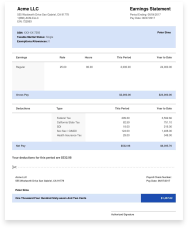
The thing your employees see is the pay stub. It shows gross pay, every deduction, and net pay for the period.
How Payroll Services Work
Once you're set up, every pay cycle follows the same pattern:
- Submit hours and salary data. You enter hours for hourly staff or confirm salaries. The system pulls scheduled deductions on its own.
- Provider calculates payroll. Gross pay, tax withholding, benefit deductions, and net pay are all computed.
- Funding. The provider debits your operating account for net pay plus tax liabilities.
- Distribution. Direct deposits hit employee accounts. Pay stubs post to the self-service portal or get mailed.
- Tax filing. The provider files quarterly Form 941 and state returns. They deposit taxes through EFTPS and handle year-end W-2 and 1099 issuance.
What your employees see is simple. On payday, net pay hits their account and a pay stub shows up in the portal. The stub lists gross pay, federal tax, Social Security, Medicare, state tax, voluntary deductions, and net pay. It also shows year-to-date totals for each line.
Quick Pay Stub Accuracy Checklist
Train your employees to check each stub. It saves your HR inbox from fixes later:
- Name and last four digits of the SSN match
- Hours worked × hourly rate equals the gross pay shown
- YTD totals match the sum of all pay periods so far
- Deduction amounts match what they enrolled in (health plan tier, 401(k) percentage)
Types of Payroll Providers

Not every provider uses the same model. The four main types:
- Full-service payroll providers. They handle everything: calculations, deposits, filings, year-end forms, and compliance. This makes up the bulk of the market.
- Payroll software. You run payroll in-house using a software platform. The software does the math. You handle the filings and deposits. Cheaper but more work.
- PEO (Professional Employer Organization). A co-employment model. The PEO becomes the legal employer of record for tax purposes. They take on payroll, benefits, and HR. Useful for better benefits rates, but it shifts your liability.
- HCM platforms. Human Capital Management systems bundle payroll with HR, benefits, time tracking, and recruiting. Built for larger or growth-stage companies.
Here's how the big providers map to business size:
| Provider | Best For | Notes |
|---|---|---|
| Gusto | 1–100 employees | Integrates with QuickBooks; modern interface |
| ADP RUN | Small business up to 49 employees | Strong tax-filing record; deep compliance support |
| Paychex Flex | 50–1,000 employees | Mid-market; broad service tiers |
| QuickBooks Payroll | Businesses already using QB | Native accounting integration |
| Square Payroll | Retail and restaurants with hourly staff | Built around Square POS |
Benefits of Using a Payroll Provider
If you're still asking what is a payroll provider worth, outsourcing returns four big wins.
- Time savings. Most small business owners spend 4–8 hours per pay cycle on payroll by hand. A provider gets that time back for revenue work.
- Compliance protection. Payroll providers track changing tax rates, filing deadlines, and state-by-state rules. Given that 67% of businesses already outsource (Deloitte 2025), compliance is the top reason owners switch from DIY.
- Accuracy. Automated math cuts errors on overtime, multi-state withholdings, and benefit deductions. Fewer mistakes means fewer fixes, fewer angry employees, and no IRS notices.
- Better employee experience. Pay arrives on time. Stubs are accurate. Employees can use a self-service portal to view history, update W-4s, and grab tax forms. That's not a small detail. Payroll problems are a top reason employees lose trust in a small business.
Payroll Provider Compliance Responsibilities
A provider does the mechanics, but the IRS holds the business owner liable. You're paying them to keep you compliant with federal tax rules and state pay stub laws. You're also paying them to keep you out of trouble when rules change.
Here's what 2026 compliance looks like:
| Item | 2026 Detail |
|---|---|
| FICA: employee portion | 7.65% (6.2% Social Security + 1.45% Medicare) |
| FICA: employer match | 7.65% |
| Combined FICA | 15.3% |
| Form 941 quarterly deadlines | April 30, July 31, October 31, January 31 |
| W-2 and 1099-NEC employer deadline | January 31, 2027 (for 2026 tax year) |
| EFTPS tax deposits | Monthly or semi-weekly based on lookback period |
Your provider files Form 941 each quarter and deposits taxes through EFTPS for you. They also produce W-2s and 1099-NECs by January 31. Most also register themselves as a reporting agent with the IRS. The liability for accurate filing still sits with you. That's why picking a provider with a clean compliance record beats saving $20 a month.
How Much Does a Payroll Provider Cost?
A key part of what is a payroll provider going to cost you is the pricing model. Most charge a base fee plus a per-employee rate. For a 10-employee business, expect a monthly cost in this range:
| Provider | Base Fee (Monthly) | Per Employee | Cost for 10 Employees |
|---|---|---|---|
| Gusto Simple | $49 | $6 | $109 |
| ADP RUN | ~$79 | $4–$12 | $119–$199 |
| Paychex Flex Essentials | $39 | $5 | $89 |
| QuickBooks Payroll Core | $50 | $6 | $110 |
| Square Payroll | $35 | $6 | $95 |
Add-ons that bump up the price: multi-state filings ($10–$30 per state per month), 1099 contractor handling, benefits admin, time tracking, and HR consulting.
The break-even point is usually 5–8 employees. Below that, DIY plus a pay stub generator often makes more sense. Above it, the time and compliance a provider buys you pays for itself.
What Is a Payroll Provider vs. Payroll Software?
The distinction matters because it decides who holds the filing liability.
| Feature | Full-Service Provider | Payroll Software |
|---|---|---|
| Calculations | Done for you | Done for you |
| Tax filing | Provider files | You file |
| Tax deposits | Provider deposits | You deposit |
| Year-end W-2/1099 | Provider files | You file |
| Support | Dedicated rep or ticket | Self-service / help center |
| Liability for errors | Often shared/insured | Yours |
| Cost | Higher | Lower |
| Best for | Owners who want it off their plate | Hands-on owners with payroll experience |
Software (think QuickBooks Payroll Self-Service or older Patriot versions) works if you know quarterly filings and have time to manage them. Full-service is the right call if your accountant has ever called payroll compliance "tricky" and you'd rather spend the time selling.
How to Choose a Payroll Provider
Once you've decided to outsource, picking the right one comes down to seven checks. Run each candidate through this list before you sign:
- Match the service scope to your needs. Count W-2 employees, 1099 contractors, states you pay in, and benefits offered. A 4-person single-state shop doesn't need an enterprise platform. A 25-employee multi-state operation does.
- Read the pricing fine print. Headline "$35/month" prices rarely include multi-state filings, contractor pay, or year-end forms. Ask for an all-in quote based on your real employee count.
- Confirm tax-filing scope. Some providers file federal and state but not local. Some charge extra for 1099-NEC forms. Get it in writing.
- Check integrations. Your payroll should sync with your accounting software, time-tracking app, and benefits broker. Manual data entry between systems is where errors creep in.
- Check the support model. A dedicated account rep beats ticket-based support. It's the best predictor of how painful tax-season questions will feel.
- Verify the compliance record. Look for IRS Form 941 filing reliability, history of penalty reimbursement, and reporting agent status.
- Map the onboarding path. Ask how long migration takes, what data they need, and whether they handle the YTD data transfer.
A good provider walks you through the first cycle and assigns someone to your account. A bad one sends a portal login and a help-center link.
When to Hire a Payroll Provider
If you're wondering what is a payroll provider going to do for your business right now, the answer comes down to five signs you've outgrown DIY:
- You have 5 or more W-2 employees. The math on hours saved usually beats the monthly fee at this point.
- Payroll takes more than 4 hours per cycle. That's time you should spend on customer work.
- You missed a tax deadline or got an IRS notice in the last 12 months. The penalties usually beat a year of provider fees.
- You operate in two or more states. Multi-state withholding gets messy fast, and providers absorb that work.
- You pay a mix of W-2 employees and 1099 contractors. Tracking different forms, deadlines, and tax rules by hand is where most owners slip up.
If two or more apply, you already know what is a payroll provider worth to your business. The question isn't whether to outsource. It's which provider to pick.
When to Use a Pay Stub Generator Instead
A payroll provider isn't the right tool for every business owner. Sometimes a pay stub generator is what you need:
- Sole proprietors with no employees. You have no payroll to run. But you may need pay stubs to show your own income for a mortgage or apartment.
- 1099 contractors and freelancers. You have no employer issuing stubs. Making your own income docs is the standard play.
- New businesses before the first hire. Get a provider once you actually have employees. Until then, a generator covers one-off doc needs.
- Landlords or lenders asking for recent stubs. Quick turnaround without setting up a full provider account.
For these cases, PayStubs.net creates accurate, professional stubs with auto tax math in under two minutes. You can also browse our paystub templates to find a layout that matches what your bank or landlord expects.
Conclusion
Now you know what is a payroll provider, what they do, and when one earns its keep. A payroll provider is a force multiplier for any business with employees. They handle the processing, filings, and compliance work the IRS expects anyway. They also free up the hours you'd spend on payroll mechanics. The right fit depends on your headcount, state coverage, and how hands-on you want to be.
If your business is too small for a full provider, or you need quick income docs as a contractor, our pay stub generator makes accurate, professional stubs in minutes. Either way, the goal is the same. Pay your people right, stay compliant, and get back to growing the business.
You Might Also Like



Frequently Asked Questions
Similar Articles



We’ve helped numerous individuals and businesses create professional documents! Create yours today!