Payroll for Nonprofits: A 2026 Setup Guide for 501(c)(3) Organizations
By Jaden Miller , August 9 2026

When you're running a nonprofit, payroll is the part nobody warned you would eat your week. Donations, programs, the board meeting, that's the work you signed up for. Cutting checks, calculating FICA, and reconciling grant-funded salaries usually isn't.
The good news: payroll for nonprofits follows a clear playbook once you understand the rules. The IRS treats your employees the same way it treats any other workforce. There's one notable break (FUTA) and a handful of reporting obligations tied to Form 990. Getting payroll for nonprofits set up right means the recurring work becomes routine.
This guide walks through what nonprofit payroll covers, the taxes you do and do not owe, a six-step setup process you can execute this month, and the documentation your employees expect to see on every pay stub. The goal is to get you compliant and operational without burning hours on trial and error.
Key Takeaways
- Payroll for nonprofits requires withholding Social Security, Medicare, and income taxes, but 501(c)(3) organizations are exempt from FUTA (federal unemployment tax).
- Most states allow nonprofits to use a reimbursable method for state unemployment rather than paying ongoing SUTA taxes.
- Your EIN, state payroll account, W-4s, I-9s, and EFTPS enrollment are essential before running your first payroll.
- Nonprofits must track functional expense allocations (program, administrative, fundraising) for accurate Form 990 reporting.
- Misclassifying workers as contractors instead of employees triggers Department of Labor audits and back-tax assessments under FLSA guidelines.
- Payroll software like Gusto, OnPay, Paychex, and Paylocity offer nonprofit-specific features, including grant tracking and 403(b) retirement plan support.
- Pay stubs must show gross wages, all withholdings, voluntary deductions, employer contributions, and year-to-date totals to comply with most state laws.
What Is Payroll for Nonprofits?
Setting up payroll for nonprofits starts with understanding the system you use to pay employees, withhold taxes, and document compensation at a 501(c)(3) organization. It looks similar to for-profit payroll. You calculate gross wages. You withhold federal and state taxes. You deposit those taxes. You issue a pay stub each period. The differences sit in three places that matter for compliance.
First, your tax-exempt status changes which employer taxes you owe. Second, your funding sources (grants, restricted donations, government contracts) require you to allocate salaries across functional categories on Form 990. Third, your workforce typically includes a mix of W-2 employees, 1099 contractors, and unpaid volunteers. The IRS scrutinizes how you classify them under FLSA guidelines.
For most small and mid-size nonprofits, payroll runs on the same software used by for-profit employers. You need one critical add-on: a way to tag each paycheck to a program, administrative function, or fundraising activity. Without that allocation layer, your 990 reporting will be guesswork at year-end.
Do Nonprofits Pay Payroll Taxes?

Yes. Managing payroll for nonprofits means you still withhold and remit Social Security, Medicare, and federal and state income taxes on employee wages, the same as any employer. The key exception is FUTA: 501(c)(3) organizations are exempt from federal unemployment tax under IRS Publication 15. State unemployment rules vary. Some allow nonprofits to reimburse claims instead of paying the standard tax.
Here is what that means in practice for your payroll runs:
- FICA (Social Security + Medicare): You withhold 7.65% from employee wages and pay a matching 7.65% as the employer. Standard rules apply.
- Federal income tax withholding: Based on each employee's W-4 elections. Same tables, same deposit schedule as any business.
- FUTA: Not owed by 501(c)(3) organizations. Do not file Form 940 for these employees.
- State unemployment (SUTA): Most states require it, but many offer nonprofits the "reimbursable method", you reimburse the state only for actual claims paid to former employees instead of paying ongoing tax. This often saves money when turnover is low.
- Workers' compensation: Required in nearly every state, regardless of tax-exempt status.
Two specific cases worth flagging: churches and religious orders may have additional FICA exemptions for ministers, and some 501(c)(3) employees performing services for the organization in specific roles may qualify for limited FICA exemptions. Confirm any exemption with your accountant before applying it, the documentation requirements are strict, and a wrong call here triggers back-tax assessments fast.
Tax-Exempt Status and What 501(c)(3) Actually Covers
A common misconception worth correcting upfront: 501(c)(3) status exempts your organization from federal income tax on its activities. It does not exempt your employees from income tax on their wages. It does not make your organization exempt from withholding obligations. Organizations with 501(c)(3) status (granted via Form 1023 approval) still run payroll for nonprofits the same way for-profit employers do. Your employees still owe federal and state income tax on every paycheck. You are still the agent responsible for withholding, depositing, and reporting it.
What the exemption does change is how the IRS sees your organization on its own filings. Instead of filing Form 1120, you file Form 990, 990-EZ, or 990-N depending on your size:
| Annual Gross Receipts | Total Assets | Required Form |
|---|---|---|
| Under $50,000 | Any | Form 990-N (e-postcard) |
| Under $200,000 | Under $500,000 | Form 990-EZ |
| $200,000 or more | $500,000 or more | Form 990 |
Form 990 ties directly back to your payroll records. Part VII requires you to disclose compensation for officers, directors, trustees, key employees, and any employee earning more than $100,000 in reportable compensation. Your payroll system needs to track these figures cleanly all year so you are not reconstructing them in April.
There is also a public-disclosure dimension here that for-profit employers do not face. Your 990 is publicly available on GuideStar, ProPublica, and the IRS site. Compensation decisions are visible to donors, board members, and journalists. That alone is a reason to keep payroll records auditable, allocations defensible, and pay stub documentation thorough.
How to Set Up Payroll for Your Nonprofit in 6 Steps

If you are setting up payroll for nonprofits from scratch (new organization, first hire, or replacing a messy spreadsheet system), work through these six steps in order. Each one is a prerequisite for the next.
Step 1: Register Your EIN and State Payroll Account
You cannot run payroll without an Employer Identification Number. Apply directly on the IRS website; it is free and takes about ten minutes. Once you have the EIN, register for a state payroll tax account in every state where you have employees. The state account is what lets you remit income tax withholding and state unemployment payments. Multi-state nonprofits should also review state-specific rules, California payroll tax, for example, has additional employer obligations beyond the federal baseline.
Step 2: Collect W-4 and I-9 Forms From Every Employee
Every new hire fills out Form W-4 (federal withholding) and Form I-9 (work authorization). Some states require their own withholding form on top of the federal W-4, California, New York, and a dozen others. Store these in a secure HR file; the IRS requires you to retain W-4 records for at least four years.
Step 3: Choose a Pay Schedule That Fits Your Cash Flow
Most nonprofits run biweekly or semi-monthly payroll. Biweekly (every two weeks, 26 pay periods) is easier for hourly employees because each check covers a clean 80-hour block. Semi-monthly (15th and last day, 24 pay periods) is easier for salaried staff and aligns better with grant reporting periods. Pick the one that matches how your funding cycles work.
Step 4: Enroll in EFTPS for Federal Tax Deposits
The Electronic Federal Tax Payment System is the IRS's required payment portal for nearly all employer tax deposits. Enrollment takes about a week, the IRS mails a PIN before you can transact. Get this done before your first payroll runs, not after; missing a deposit deadline because you are still waiting on EFTPS is a common payroll mistake that triggers avoidable penalties.
Step 5: Classify Workers Correctly (Employee, Contractor, Volunteer)
This is where nonprofits get audited most often. An employee gets a W-2 and goes through full withholding. A contractor gets a 1099-NEC if you pay them $600 or more in a year. A volunteer receives no pay, but if you give them anything beyond minor reimbursement (a stipend, free housing, a "thank you" bonus), the IRS may reclassify them as an employee. When in doubt, run the IRS three-factor test: behavioral control, financial control, and relationship type.
Step 6: Pick Software or an Outsourced Provider
You have three realistic options for handling payroll for nonprofits: in-house software (Gusto, OnPay, Paychex, QuickBooks Payroll, SurePayroll), a full-service provider to outsource payroll to (like ADP, Paychex, or Checkwriters), or a CPA who handles payroll processing monthly. For organizations under 25 employees, software is almost always the right answer. It's cheaper, faster, and accurate enough. Above 25 employees or with complex grant allocations, look at providers that specialize in payroll tax compliance for nonprofits.
Ready to issue pay stubs your employees can actually use? Once payroll is processed, the documentation step is where most setup processes fall short.
Common Challenges With Payroll for Nonprofits
Even nonprofits with clean software setups run into the same four problems. Knowing them in advance is half the battle.
- Cash flow timing. Grant funds and pledged donations often arrive after payroll is due. Build a six-week operating reserve before you commit to a fixed pay schedule. Otherwise, you will end up shorting payroll in lean months.
- Worker misclassification. Calling a part-time program manager a "contractor" because it is easier on paperwork is the fastest way to trigger a Department of Labor audit under FLSA. If you control the work, set the hours, and provide the tools, the IRS sees an employee.
- Grant restriction tracking. Restricted grants can only pay for the salary portion allocated to that program. If 30% of a coordinator's time is funded by a specific grant, only 30% of their salary can be charged against it. Your software needs grant-funded salary tracking built in.
- Staff turnover. Nonprofits average higher turnover than for-profits. This means more onboarding, more I-9s, more state filings, and more final paychecks. A documented payroll workflow reduces the time cost of each transition.
What to Look for in Nonprofit Payroll Software
Not every payroll platform handles nonprofit-specific requirements well. When you are evaluating software for payroll for nonprofits, check for these features before signing a contract:
- Functional expense allocation. Can the software split a single paycheck across program, administrative, and fundraising buckets on each pay run? If you have to do it manually in a spreadsheet, the software is the wrong fit.
- Grant tracking integration. Look for native integrations with QuickBooks Online for Nonprofits, Aplos, or Sage Intacct. Manual exports work but introduce reconciliation errors.
- 501(c)(3) FUTA handling. The system should skip FUTA calculations automatically once you flag the organization as tax-exempt. Many for-profit-focused platforms cannot do this and will charge FUTA you do not owe.
- State reimbursable SUTA support. If your state allows the reimbursable method, your software needs to track claim reimbursements separately from tax payments.
- Form 990 compensation reporting. A built-in or exportable report that maps to Form 990 Part VII saves hours at filing time.
- Retirement plan support. Look for platforms that support nonprofit-specific retirement options like 403(b) and 457(b) plans, not just standard 401(k) offerings.
- Direct deposit and employee self-service. Modern payroll processing should include direct deposit as standard, plus an employee self-service portal where staff can access pay stubs, update W-4 elections, and view year-to-date earnings.
For context on pricing, here is what verified 2026 figures look like across common platforms:
| Platform | Base Monthly | Per-Employee Fee | Nonprofit Focus |
|---|---|---|---|
| SurePayroll | $29 | $7 | General SMB |
| OnPay | $49 | $6 | Has nonprofit features |
| Gusto | $49 | $6 | Has nonprofit features |
| Paychex Flex | $60 | $8 | Enterprise-grade nonprofit support |
| Paylocity | $75 | $9 | Full HR suite with nonprofit tools |
| QuickBooks Payroll | $88 | $6.50 | General SMB |
TechSoup also distributes discounted ADP and OnPay subscriptions to qualifying 501(c)(3) organizations, worth checking before paying retail. If your organization has fewer than ten employees and straightforward funding, SurePayroll or OnPay typically wins on price. For grant-heavy operations or organizations managing payroll for nonprofits across multiple states, OnPay, Gusto, Paychex, and Paylocity offer cleaner allocation tooling and better grant tracking.
Pay Stubs and Employee Documentation: What Your Team Needs to See
A pay stub is not just a payment record. It is the document your employees use to prove income, verify benefits, and file their own taxes. Most state laws require you to provide one each pay period. Only a handful of states are pay-stub-optional. Even where not legally required, skipping documentation when handling payroll for nonprofits creates avoidable problems.
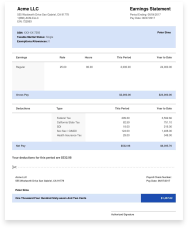
Every pay stub you issue should clearly show gross wages, all tax withholdings broken out by type (federal income tax, Social Security, Medicare, state income tax, any state disability), voluntary deductions (health insurance, retirement contributions), employer contributions, year-to-date totals, and net pay.
If your current payroll software does not generate clean, branded pay stubs, or if you need to issue stubs for retroactive pay, contractor payments, or one-off situations, a dedicated pay stub generator gives you the documentation without rebuilding your whole payroll workflow.
Tracking Grant-Funded Salaries: A Real Allocation Example
Here is the kind of allocation that trips up most nonprofits the first time. When managing payroll for nonprofits, you need to track how employee time splits across programs. Say you have a program coordinator earning $52,000 a year. Her time breaks down as 60% on direct program delivery, 30% on administrative duties, and 10% on fundraising support. To stay compliant with Form 990 functional expense reporting, her salary needs to split the same way:
| Functional Area | Allocation | Annual Salary | Per Biweekly Paycheck (gross) |
|---|---|---|---|
| Programs | 60% | $31,200 | $1,200 |
| Administrative (Management) | 30% | $15,600 | $600 |
| Fundraising | 10% | $5,200 | $200 |
| Total | 100% | $52,000 | $2,000 |
Document the allocation in writing, a signed time-and-effort certification quarterly is the standard the IRS expects. If a grant audit asks why 60% of her salary hit a specific program code, your timesheets and certifications are your defense.
When a payroll error misallocates costs against a grant, fix it immediately: post a journal entry correcting the allocation, attach the corrected timesheet, and notify the grant contact proactively. Auditors flag patterns, not isolated corrections, getting ahead of it is what keeps you in good standing.
Conclusion
Payroll for nonprofits is not fundamentally harder than for-profit payroll. It just has a few extra layers. These include tax-exempt status, grant accounting, and Form 990 reporting. Get the EIN, W-4s, EFTPS enrollment, and worker classifications right at setup. Pick software that handles functional expense allocation. Document every paycheck with a pay stub your employees can actually read.
The recurring work after setup is mostly routine. Compliance exposure comes from documentation gaps. These include missing time-and-effort records, sloppy classifications, or pay stubs that omit required fields. Close those gaps once, and payroll stops being the part of running a nonprofit that eats your week. Generate compliant pay stubs for your team in minutes, accurate calculations, ready to send.
You Might Also Like



Frequently Asked Questions
Similar Articles



We’ve helped numerous individuals and businesses create professional documents! Create yours today!