



Geofencing Employee Tracking: A 2026 Guide for Employers
By Jaden Miller , June 4 2026

Manual timesheets quietly drain payroll budgets. Honor-system clock-ins make it worse, and the problem grows the moment your team works off-site. Geofencing employee tracking fixes this. It ties every clock-in to a real location, so hours only count when staff are where the work is. That accuracy feeds straight into professional pay records your business can stand behind. This is no longer a niche tool. The geofencing market is set to grow from $3.41 billion in 2025 to $8.14 billion by 2029, and small businesses are a big reason why. This guide covers what the tech does, how it helps your bottom line, how to set it up, and the compliance rules you can't skip.
Key Takeaways
- Geofencing draws a virtual perimeter around your job site. Crossing it triggers an automatic clock-in or clock-out.
- It curbs time theft and buddy punching. The American Payroll Association estimates these can cost up to 7% of gross payroll.
- Written employee consent and FLSA recordkeeping are legal must-dos, not optional steps.
- Location-verified hours flow straight into correct gross pay and audit-ready pay stubs.
What Is Geofencing Employee Tracking?
Geofencing employee tracking uses GPS (Global Positioning System) to draw a virtual perimeter around a job site. A worker crosses that boundary, and the app prompts a clock-in or clock-out. It also stamps the exact time. This confirms staff are on-site before their hours count. You may hear it called geofence time tracking or GPS time tracking. The goal is the same: better payroll accuracy for field and on-site teams.
Most systems run on GPS. Some use Wi-Fi or RFID signals to set the zone. Don't confuse geofencing with plain geolocation. Geolocation just records where a device is and when. Geofencing acts on a set boundary. It fires a clock-in trigger or an alert the instant someone crosses it. One tracks. The other automates.
How Geofencing Employee Tracking Works
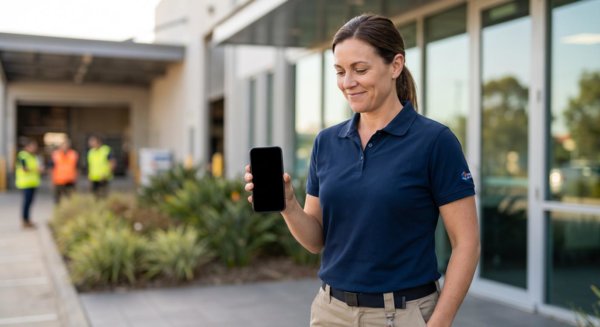
The setup is simple from the worker's side. They install a mobile time clock app, also called a clock-in app, on a phone or company device. You set a virtual perimeter around each job site. This is usually a radius drawn around a set of GPS coordinates. Your field employees arrive and cross into that zone. The app then prompts them to clock in and logs the exact time and place. They cross back out, and it records the clock-out. The result is a clean record of time and attendance, built on GPS location tracking, not paper. No manual entry, either. This kind of employee time tracking runs in the background, so your crew can focus on the job.
Top Benefits of Geofencing Employee Tracking
The payoff for employers is real. Most of it lands on your payroll line.
Eliminate Time Theft and Buddy Punching
Time theft is a quiet budget killer. The American Payroll Association estimates it can cost up to 7% of gross payroll. Run the math on a $500,000 payroll, and that is up to $35,000 lost each year. Geofencing only lets staff clock in inside the boundary. That is real time theft prevention, not just a deterrent. And because no one can punch in for an absent coworker, you get buddy punching prevention built in.
Gain Real-Time Visibility and Job Costing
You get real-time visibility into who is on each site, without calling around. The same location data makes job costing far more accurate. Hours tie to specific projects on their own.
Improve Time-and-Attendance Accuracy
GPS-verified punches cut the rounding errors and "I forgot to clock out" fixes that plague manual systems. Better time punch accuracy means cleaner data. And cleaner data means fewer payroll errors down the line.
Which Industries Benefit Most From Geofencing?

Geofencing helps any business with off-site or multi-location hourly staff. Construction, field service and HVAC, home healthcare, multi-store retail, and delivery teams gain the most. About 4 in 10 jobs now allow some remote work (Robert Half, Q1 2025). That pulls remote employees into the picture too. Even remote workers who split time between home and the field benefit from location-based tracking.
Maybe your crews move between sites. Maybe your managers can't watch every clock. Either way, geofencing closes the gap. It also supports schedule enforcement, flagging when someone clocks in well before a shift starts.
How to Set Up Geofencing for Your Team
Setup is quick once you pick a GPS-enabled time tracking app. The steps are the same across most platforms:
- Add each job site address and let the app pin its GPS coordinates.
- Draw the radius that sets the geofence.
- Invite employees and have them install the app.
- Set rules for clock-in limits and overtime alerts.
Most of these mobile timekeeping apps sync approved hours straight to payroll software like QuickBooks. So you are not re-keying time into your pay runs.
Radius size matters more than people expect. About 0.1 mile (roughly 160 meters) works for most sites. Tighten it to 100 to 150 meters in dense cities, so no one clocks in from down the block. Widen it for large rural job sites. Too small, and you get false rejections. Too large, and it defeats the purpose.
One more call: devices. Running GPS tracking on personal phones raises liability and battery-cost questions. Company devices, or a clear opt-in BYOD (bring your own device) policy, keep you on safer ground.
Geofencing Compliance: Consent and State Laws
This is where many employers slip. Handle it with care. Location tracking sits squarely inside labor law compliance and privacy rules.
Get Written Employee Consent
Before you track anyone, get their written sign-off and keep a copy on file. Several states, including California, Illinois, and Texas, apply stricter rules to employee monitoring. Laws like the CCPA also give workers rights over their data. The IAPP state privacy tracker is a handy place to check your state's rules before you roll anything out.
Meet FLSA Recordkeeping Rules
The FLSA (Fair Labor Standards Act) requires you to keep time records for at least two years. Geofencing apps stamp and store every punch on their own. That satisfies FLSA recordkeeping without a filing cabinet. And it matters. The Department of Labor recovered more than $322 million in back wages in one fiscal year. Much of that traced back to bad timekeeping.
Roll It Out Transparently
Adoption depends on trust. Use a simple three-step rollout. First, publish a written policy. Next, hold a team meeting and explain that tracking applies only during work hours. Then give employees a clear view of their own punch records. Transparency heads off pushback and keeps the tool working.
Connecting Geofencing to Accurate Payroll
Here is the part rivals rarely mention. Clean GPS clock-in data means fewer timesheet corrections. That means the gross pay on each paystub reflects real hours worked. It cuts disputes, eases audits, and keeps your records solid. Once your time data is clean, creating compliant records is the easy last step. Our pay stub templates turn verified hours into professional stubs your team can trust.
You Might Also Like
- Biweekly Pay Stub: A Guide for Employers
- ADP Paystub: How to Access It
- DIY Payroll: Types of Check Stub Paper
- What Is FICA Tax on My Paystub?
- What Is a Payroll Tax Holiday?
Conclusion
Geofencing employee tracking gives small business owners three wins at once. You get tighter control over time theft. You get stronger labor law compliance. And you get cleaner data that feeds accurate payroll. Start by choosing a GPS-enabled app. Set sensible geofence radiuses. Secure written consent, and keep your rollout open. From there, accurate hours make the rest of payroll simpler. Want to turn those verified hours into professional pay records for your team? Use a reliable paystub generator to build accurate pay stubs in minutes.



Frequently Asked Questions
Similar Articles


We’ve helped numerous individuals and businesses create professional documents! Create yours today!
