



Where and How To Access Pay Stubs From Your Job
By Davis Clarkson , January 29 2026
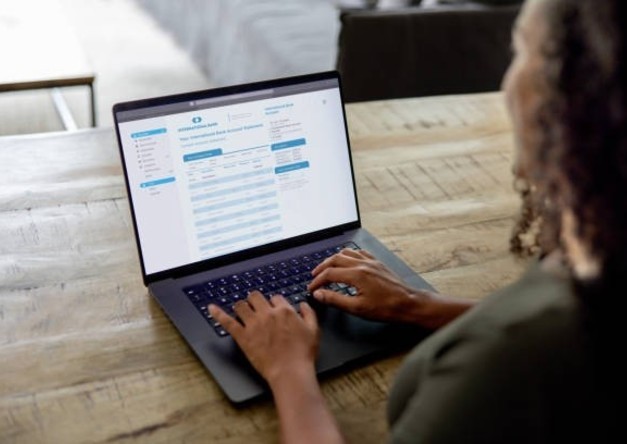
If you’re wondering how to access pay stubs, you can get them from your employer. Now, this can be online or offline. You may need to view your pay statements to take out a loan, prepare your taxes, or for income verification.
Many employees wonder how to find a pay stub if they can’t get it from their employer. You can create your own professional pay stubs with a paystub generator in such situations.
In this guide, we explain how to access pay stubs from your current employer or former employer. You’ll also learn how to get paystubs from job locations.
- Why and How To Access Pay Stubs?
- How To Use an Employee Portal To Access Recent Pay Stubs
- How To Access Pay Stubs by Contacting Your Payroll Department
- How To Find Pay Stubs From a Previous Employer or Former Employer
- Can You Get Pay Stubs From Your Bank?
- Do States Require Employers To Provide Pay Stubs?
- Bottom Line
Why and How To Access Pay Stubs?
Pay stubs are documents that break down the details of your pay in each pay period. So, you can see wages, deductions, taxes, and net pay. Employers provide these documents to enable employees to monitor their income.
You’ll need your pay stubs for a number of things. It could be to prove income for a loan or to prove employment. Some also keep their pay stubs just to have proper financial records. Regardless, it’s important to know how to access pay stubs. Most states have stub laws in place that require employers to provide pay stubs.
Some states require employers to give out paper copies, while others allow the electronic versions. Your pay stubs have confidential information, such as part of your Social Security number. So, always keep your stubs in a safe place.
How To Get My Pay Stubs From Current Employer
The most convenient way for how to access pay stubs is to get them from your current employer. Employers provide these in different ways depending on the company's payroll system. Nowadays, companies already have an employee portal or online portal. Employees simply log in to view their pay statements. So, if your question is how to find my paystub online, this is an easy way.
Read more: What Is an Earnings Statement? Importance and Key Components Explained
How To Use an Employee Portal To Access Recent Pay Stubs
Here are the steps on how to access pay stubs if you’re using an online portal:
-
Set up Your Online portal Account
For you to know how to access pay stubs on an employee portal, you must start with an account. So, reach out to your payroll department or HR department for details of the company’s online portal. Your employer’s HR team can give you the correct website address and any details you’ll need to set up your account.
Usually, you’ll need a username or user ID and a password. For some employers, it’s your employee identification number that serves as your user ID. If you have any issues with setting up your account, request assistance from human resources.
-
Check your Pay Statements and Choose Pay Period
Once you get your login details, visit the online portal and sign in. After you log in, look for any text or icon that directs you to your pay details. For example, it can be tagged "Pay Statements," "Paycheck Stubs," "Paycheck Stub," or "View Your Pay." You can view your recent pay stub or go back to previous pay stubs from earlier dates.
-
Download the Pay Stub
Most employee portals give you the option to download pay stubs as PDFs or print them. Save them to a safe place, so you always have access.
-
Use a Mobile app
Most times, it's payroll software companies and payroll service providers that offer employee portals. And usually, employees can access through either their website or mobile app. These let you view your pay statements anytime, download electronic copies, and print them. So, if you prefer this, you can download the app and use it instead.
Check out: Pick from our pay stub templates and customize easily
How To Access Pay Stubs by Contacting Your Payroll Department
If there’s no online portal, then you need to reach out to the payroll department. Here’s how to access pay stubs this way:
-
Reach Out to the Department
Your company may not use an online portal. In that case, you can always request pay stubs from your payroll department or your employer's HR team. Reach out by call, email, or in person. Let them know the pay stubs you need and be specific about the pay period or dates.
-
Identity Verification
In order to protect your confidential information, the department will ask for details to verify that you are who you claim to be. So, you may need your employee identification number, partial Social Security number, or date of birth.
At this point, you can then ask to receive either electronic copies or paper copies. You can get electronic versions faster, but paper copies can be useful, especially if you need to submit physical documents for a loan.
-
Allow for Processing Time
Give the team a few business days to find your previous pay stubs. This is important, especially if they are from a long time ago. You can follow up if you don’t hear from them soon enough.
Also read: A Complete Guide on How to Get Your Starbucks Pay Stub
How To Find Pay Stubs From a Previous Employer or Former Employer
Getting pay stubs from a previous employer comes with a bit more steps. This is because you’ll most likely not have access to their systems any longer. However, they’re still responsible for keeping your payroll records for the required time.
-
Requesting Pay Stubs From Your Former Employer
Look for the contact details of your previous employer's payroll department or human resources. Send an email or call to request previous pay stubs. Provide your name, dates of employment, and employee identification number.
You should also be prepared to verify identity with your partial Social Security number or date of birth. Tell them which pay periods you need. Some former employers may charge a fee to give you paper copies, but most states limit what employers can charge.
-
Getting Pay Stubs Through a Payroll Service
If your former employer used a payroll service or payroll company, you might get pay stubs directly from them. Find out which payroll company they used. Then, contact the payroll service and explain you're a former employee trying to access old pay stubs. Depending on the service, they may be able to help. They'll need your former employer's name, employment dates, and details to verify identity.
Can You Get Pay Stubs From Your Bank?

A common question is "Can I get my pay stubs from my bank?" Banks don't store actual pay stubs, but they can provide bank statements. These statements show deposits from your employer. If you had direct deposit, these show when money was deposited into your bank account and the amounts.
What Your Bank Account Statements Can Show
To get deposit records, log into your bank account through online banking or their app. Find statements for the dates you need and download them. Look for employer deposits. Now, these only show that deposits were made. The statements won't have details like gross pay, deductions, taxes, hours worked, or net pay.
Why Bank Statements Aren't Substitutes for Pay Stubs
Bank statements can serve as proof of income in some situations, but they're not substitutes for pay stubs. Most agencies, lenders, and federal institutions require actual pay statements. This is because they want to see more details, like gross pay, deductions, and net pay.
Bank statements showing direct deposit help as supplementary proof. However, for tax filing or detailed income verification, you need actual paycheck stub documents.
Read more: Do You Need to Create a Nanny Pay Stub?
Do States Require Employers To Provide Pay Stubs?
Laws about pay stubs differ from state to state. Most states require employers to provide pay stubs, but the details are different. Some states require employers to provide pay statements showing wages and deductions. Then, it must also contain pay details like hours worked and pay period dates.
Some states require paper copies unless employees agree to electronic versions. Others allow employers to provide only electronic copies. Federal law doesn't require employers to provide pay stubs. However, the federal government requires employers to keep payroll records. Many states have stricter requirements through their state's labor department.
If your employer refuses to provide pay stubs in a state that requires them, ask them. Make sure you document all requests that you made. After that, you can reach out to your state's labor department or labor agency to file a complaint. You may also look into contacting an employment attorney. States require employers to follow these laws, and labor agencies take violations seriously.
Check Out: Start creating pay stubs with our online paystub maker today
Bottom Line
It’s safe to say you now know how to access pay stubs from your employer. The process can vary, but employees have a number of options to choose from. Knowing how to get your check stubs ensures you have the right documents whenever you need them.
Pay stubs are very important documents for your finances, and you need to have them handy. Our paystub maker tool is here to help you create professional pay stubs whenever you need them.



Frequently Asked Questions
Similar Articles



We’ve helped numerous individuals and businesses create professional documents! Create yours today!
