



Where To Find HSA Contributions on W2 and Other Tax Forms
By Jaden Miller , January 22 2026
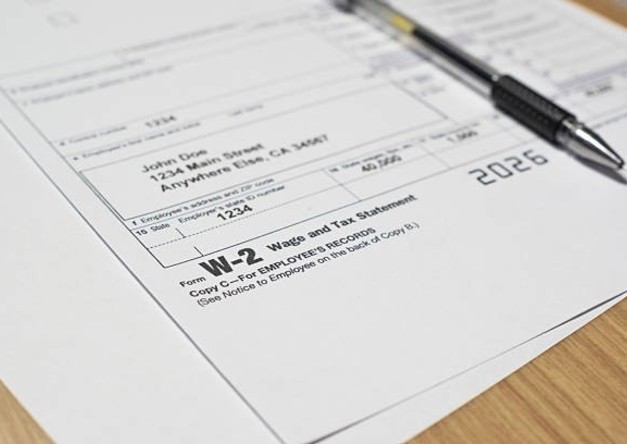
If you're wondering where to find HSA contributions on W2, they're in Box 12 Code W. Any money that went out of your paycheck towards your health savings account shows up here. It also shows the contributions from your employer.
You need these numbers to ensure you file your taxes correctly and make the most of any tax benefits. Your HSA contributions also show up on your pay stub, and they need to be accurate. With the right information, you can create professional pay stubs using an online paystub generator.
In this article, we’ll discuss where to find HSA contributions on W2. You’ll also learn how HSA contributions are reported and where to find them on other tax forms.
Where To Find HSA Contributions on W2?
When tax season comes around, you’ll need to know where to find HSA contributions on W2 forms. If your employer makes contributions to your health savings accounts from your pay, they have to report it on your Form W2. This information will be in a position that IRS regulations have standardized.
How To Find HSA Contributions on W2 in Box 12 Code W
To locate "Where to find my HSA contributions on W2?", all you need is to look at your Form W2 Box 12. When you check, you’ll notice that Box 12 has other subsections, namely 12a, 12b, 12c and 12d. Each of these sections stands for different benefits. Your HSA contributions appear in front of Code W.
Box 12 Code W shows the total sum of money that went to your health savings account during the tax year. This means everything that came from your employer’s payroll. Both the employer contributions and any money that came from your paycheck as pre-tax deductions under your employer’s cafeteria plan.
Usually, that led to a pay or salary reduction for you, because you got less take-home pay. The IRS uses this reporting method to keep track of HSA contributions.
Where Do I Find My HSA Contributions Breakdown?
The amount you see in Box 12 Code W is a single aggregated amount that comes from several sources. This single aggregated amount includes the money that came out of your paychecks pre-tax. It also includes the money your employer contributed towards the employee’s HSA. Employers are not required to state them separately on your Form W2.
To get the breakdown, you’ll need to go through your monthly pay stubs. This means you should know where to find HSA contributions on W2 and pay stubs. On each pay stub, you’ll see each payroll deduction separately. So, you can calculate the total amount you contributed. Box 12 Code W2 already has the total amount you'll report on Form 8889 when filing your tax return.
Also Read: Where Is My Stimulus Check? Payments and Eligibility Criteria
What Is a Health Savings Account (HSA)?
To know where to find HSA contributions on W2, you need to know what an HSA is. A Health Savings Account (HSA) is a tax-advantaged account you can use if you hold a high-deductible health plan. It allows you to set aside money that you’ll need for your qualified medical expenses later. For example, doctor visits, prescription medicine and even dental care.
You can choose to let your employer make contributions to your HSA. If you put money in through payroll, it comes out of your paycheck before tax. You can also carry your HSA balance into the following year if you don’t use it.
These features make HSAs very beneficial. Your HSA contributions are tax-deductible if you pay directly after tax, and the money grows free of tax. Also, any money you withdraw for qualified medical expenses is not subject to federal income tax.
Also Read: Tax Loopholes That Could Reduce Your Tax Liability and Save You Money
Where Is HSA Contribution on W2 Reported?
You need to know the flow of employer and employee contributions to understand how they’re reported. They’re reported together on your Form W2 because of IRS guidelines.
Employer Contributions Reported
Contributions to your HSA from your employer are made in two ways. The first one is the direct employer contributions. This is the money your employer pays into the account as part of your benefits. It doesn’t come out of your paycheck.
Second, we have the contributions that come from a Section 125 cafeteria plan arrangement. You can choose to make HSA contributions with payroll deductions. With that, you’re telling your employer to deposit part of your pay into your HSA before calculating taxes. These salary reductions also show up as employer contributions on your Form W2. It doesn’t matter that the money came out of your paycheck.
Both types of employer contributions reported in Box 12 Code W are treated well when it comes to taxes. They reduce your taxable income, and you don’t pay federal income tax on them.
Employee Pre-Tax Contributions
When you make your HSA contributions through your employer’s cafeteria plan, the money is taken out of each paycheck. And it comes out before taxes. They will appear on your stub under pre-tax deductions and reduce your taxable wages during that pay period.
These contributions lower your adjusted gross income, which may enable you to qualify for other tax credits. Especially those who have income limitations. However, because they went through your employer’s payroll, you’ll see them as employer contributions on your Form W2 Box 12.
Check Out: Create compliant W-2 forms in just a few minutes
Where Do I Find My HSA Contributions on Other Forms?
Besides your Form W2, many other documents also report what goes into your health savings account. So, you need to know “Where can I find my HSA contributions on these forms as well?" That’s what gives you a complete picture.
HSA Offset on Paystub
Your pay stubs give you a record of your HSA contributions during the year. Usually, they will be listed under deductions. Just look for an entry that says "HSA," "Health Savings Account," or "HSA offset." HSA offset on paystub refers to how the contributions offset or reduce your taxable income.
Each pay stub shows you what you contributed during that pay period and a year-to-date total. So, you can use your final pay stub to get an idea of your total contributions before getting your Form W2. If you add that figure to the total employer contributions, the result should match what is in Box 12 Code W on your Form W2.
Form 8889
Form 8889 is the official health savings account form. You complete this IRS form when you’re filing your federal tax return if you had any HSA activity. The form adds together all the contributions and distributions and lets you know if you owe taxes on any withdrawals. You also use it to calculate your deduction for the contributions you made by yourself rather than through the payroll.
Line 9 asks you for employer contributions as reported in Box 12 Code W. Enter the same figure on the form. Any additional contributions not in Code W go to Line 2 on the form, and they are tax-deductible.
Further Reading: Meaning of YTD on Pay Stub Explained
How Do I Find My HSA Contributions Limits?
Now that you know where to find HSA contributions on W2, you need to know the limits. Every year, the IRS sets a limit on the amount you can contribute to your HSA. And you can get your HSA limits by checking the IRS official publications.
For the 2025 tax year, you will be able to save $4,300 for self-coverage only and $8,300 for family coverage. That is the maximum for both your employer and employee contributions.
In 2026, you can now contribute up to $4,400 for yourself. That goes up to $8,750 if you have coverage for your family.
If you’re 55 or older by the end of the year, you can make an additional catch-up contribution of $1,000.
To be eligible for an HSA, you must have a qualified high-deductible health plan. Also, you cannot be enrolled in Medicare and cannot be claimed as a dependent. Lastly, you must not have another disqualifying health coverage.
If you contribute too much and exceed the limit, that results in excess contributions. An excise tax of 6% will be imposed annually as long as the excess remains. To avoid that, you can withdraw the excess contributions before your tax return is due.
Check Out: Create pay stubs for complete year-end tax documentation using our pay stub templates.
Wrap Up
Knowing where to find HSA contributions on W2 can help you when tax time comes around. All you need to do is find Box 12 Code W on your Form W2. Don’t forget to also keep an eye on the HSA numbers on your pay stubs during the year. By knowing where to find HSA contributions on W2 and other forms, you can get the benefits and stay on the good side of the IRS.
Now, you know where to find HSA contributions on W2 and paystubs. Accurate paystubs give you correct HSA numbers when you need them. Our paycheck stub maker can help you create professional pay stubs with all the right information.



Frequently Asked Questions
Similar Articles



We’ve helped numerous individuals and businesses create professional documents! Create yours today!
